Family food · 4 min read

The everyday question of school lunch

The menu on the fridge. The PDF you can never find. The lunchbox that needs filling again tomorrow.

The Emmy team

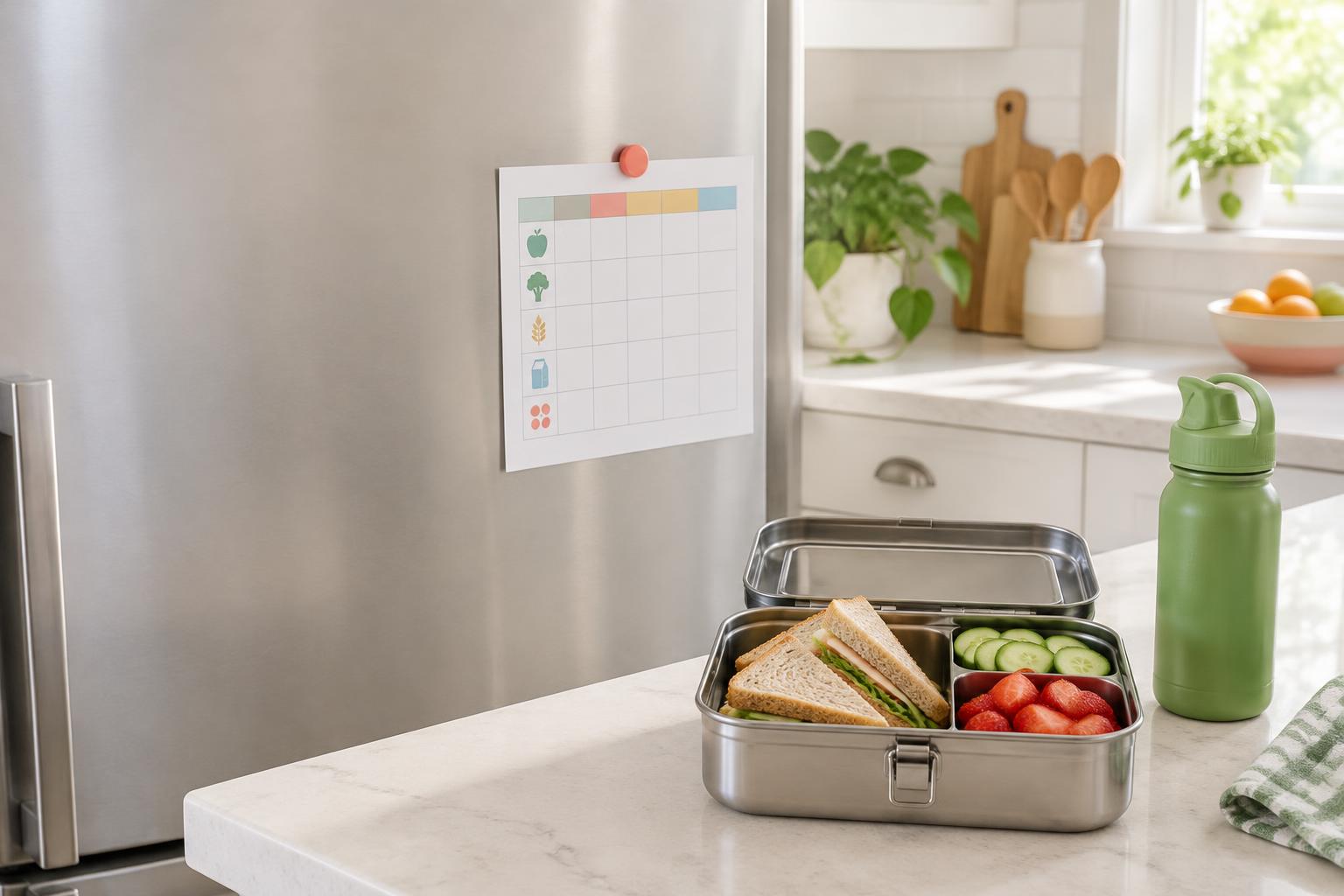
A printed school menu on the refrigerator and a packed lunchbox on a kitchen counter

You’re getting everyone out the door when someone asks, “What’s for lunch?” The answer is somewhere. On a sheet that came home in a backpack, in an email from last week, or behind three links on the school website.

Finding the menu is only half the job. Then you have to check the date, remember which child will actually eat what’s being served, and decide whether tomorrow needs a packed lunch. It’s a small decision, but it comes around every school day.

The aim isn’t to turn lunch into another project. It’s to keep the menu, the decision, and the reminder close enough together that you don’t have to start from scratch each morning.

A menu is more useful where you plan the day

A printed menu works perfectly well—until you’re away from the fridge. A PDF is useful—if you remember where it was sent. Bringing those dates onto the family calendar puts lunch alongside the rest of the school day.

In Emmy, that starts with the + in the Digest text field. Choose Lunch menu and the child it belongs to, or Whole family. A clear photo, a PDF, or a public school-menu link will do. If the website needs a login, use a downloaded copy or screenshot instead.
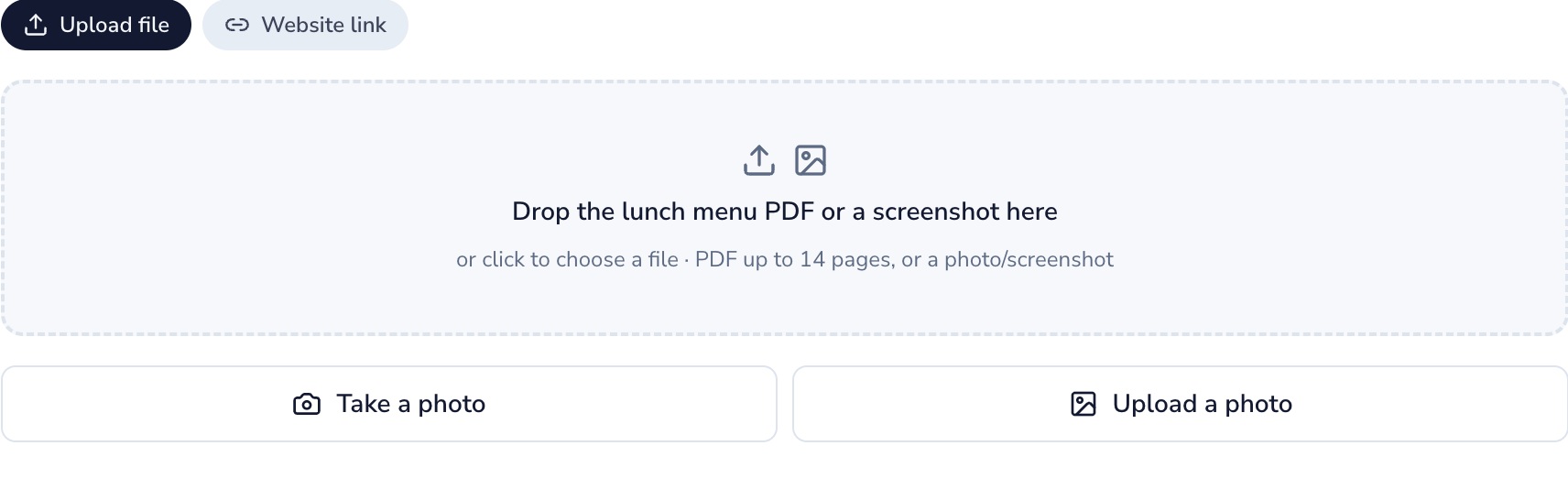
Lunch menu options for a file, website link, camera photo, or saved photo
Use the menu you already have, wherever school shares it.

Emmy reads the dates and meals for you to review before saving. Once you’ve checked them and chosen Save lunch days, each day’s lunch sits on the Digest calendar. When the next menu arrives, upload that one too.

Two kids don’t always mean the same lunch

One school might be serving pizza while another has sandwiches. Even at the same school, two children can have very different opinions about the menu.

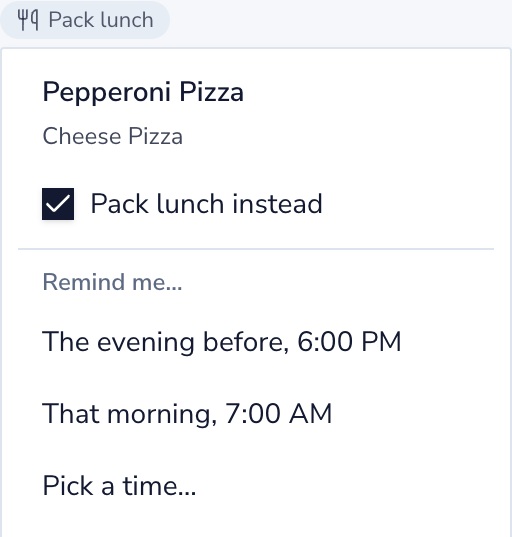
Upload each menu for the child it belongs to and you’ll see separate lunch labels. Open one to check what’s being served. If it’s not a day for school lunch, choose Pack lunch instead for that child. The label changes to Pack lunch, with a to-do for the day; the original menu stays available.
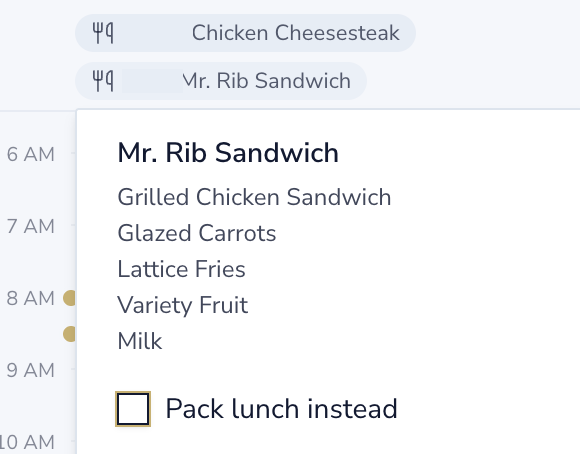
Two children’s separate lunch labels, with one menu open and a Pack lunch instead choice; names hidden
Different menus, separate choices. Children’s names are hidden in this example.

This records your family’s plan. It doesn’t order or cancel lunch with the school.

And then there’s what goes in the box

Deciding to pack lunch is one thing. Thinking of something they’ll eat is another. A few familiar combinations can make that choice easier: a main they know, a fruit or vegetable they like, and something extra for their appetite.

Emmy’s Explore Lunch catalog brings together 25 lunchbox ideas, including meat, vegetarian, and vegan options. There are turkey pinwheels, pasta cups, and plant-based boxes—not just another week of the same sandwich.
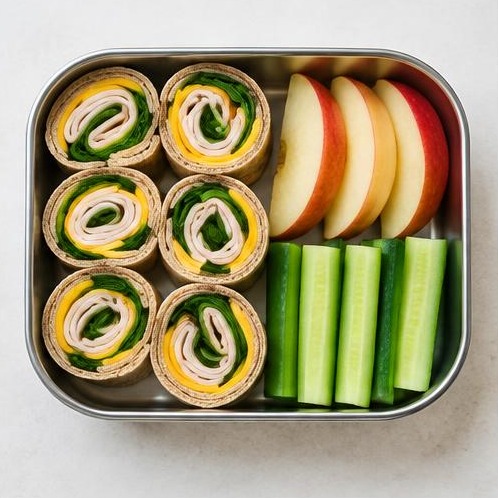
Turkey pinwheels: Whole wheat tortilla, Sliced turkey breast, Cheddar cheese, Baby spinach, Apple, Cucumber

Meat

Turkey pinwheels

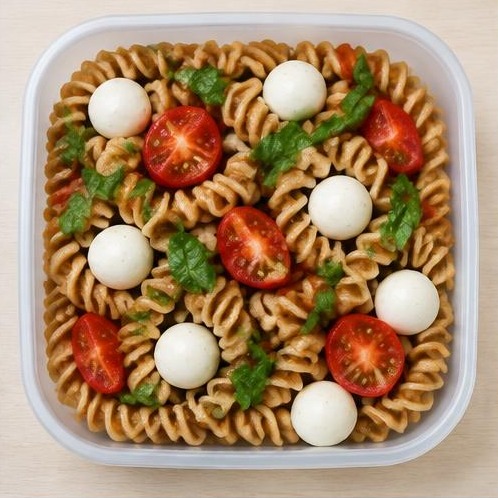
Caprese pasta cup: Whole wheat pasta, Mozzarella cheese, Cherry tomatoes, Basil

Vegetarian

Caprese pasta cup

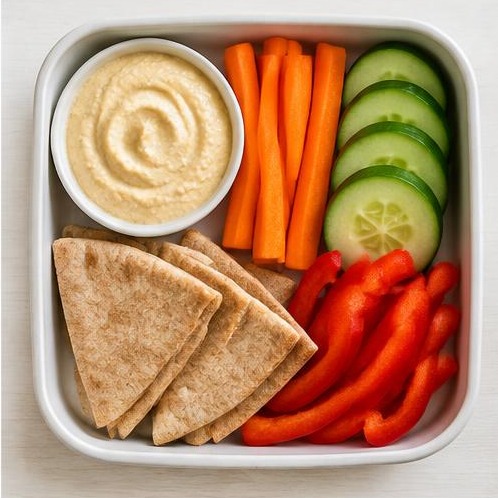
Hummus veggie box: Hummus, Carrot, Cucumber, Whole wheat pita, Red bell pepper

Vegan

Hummus veggie box

If there are foods your child won’t eat, you can leave them out of the ideas you see. Filter by diet, or exclude particular ingredients, then match the ingredients for a chosen lunch to the Whole Foods catalog. Check the matches and choose what to add, rather than rebuilding a shopping list from memory.

You’ll also find everyday lunchbox staples and a comparison of four lunch containers: stainless steel versus plastic, how compartments handle spills, and which designs suit warm or cold food. The right box depends on what you’re packing, not just how it looks.

Browse the lunch ideas

Remember while you still have time

The most useful reminder is the one that arrives before you’re standing at the door. For an individual pack-lunch day, Emmy offers the evening before at 6 PM, that morning at 7 AM, or a time you choose. An evening nudge can mean the box gets packed while you’re already in the kitchen.

Pack lunch selected with evening-before, morning, and custom reminder choices
A reminder for the day you’ve chosen to pack lunch.

If you’d rather see the school menu regularly, you can choose daily menu reminders after saving it: email or text, the night before at 6 PM or a custom time, or lunch in your morning text brief. Those menu updates are separate from a reminder to pack for a particular day.

Both choices can be managed in Settings. Text updates require your phone number and explicit consent, with Lunch menu reminders enabled under Text updates.

A little less searching tomorrow morning

You don’t need a new lunch routine. Start with the school menu you already have, keep a few packed-lunch favorites in rotation, and put the reminder at a time that works for your family. Lunch can stay a small part of the day.